No, it is not allowed. Only the registered model under the account in question can appear in teasers. In case of couple or lesbian accounts, both performers have to be visible, but in case of single account, only the one registered model.
Which and how many teasers are visible when I am offline?
When you are offline the Video call teasers are played on your LiveJasmin feed to invite members to call you. If you have several accepted Video call teasers the system will select randomly which one to show. Erotic and promo teasers are only visible when you are online to help members from different adult sites to find your room. Those are also selected randomly.
What is the Promo Teasers feature?
Promo Teasers are short videos that are shown on some of the most visited adult sites in the world. It’s the same feature as “Erotic Teaser”, but for non-nude categories – Hot Flirt and Soul Mate.
By uploading an Promo Teaser, you allow us to promote you on the most visited adult sites to help you draw in extra traffic. The feature is now available for Model Center, both mobile and desktop.
We offer 2 different types of teasers you can upload: Desktop Teasers or Mobile Teasers.
Desktop Teasers are short videos in landscape mode
Mobile Teasers are short videos in portrait mode
Upload both to have a better chance to be promoted on more adult web sites. Boost your traffic, increase conversion, and maximize your earning potential!
Show off and watch your earnings rise!
Why Use Promo Teasers?
Boost your traffic
Reach a wider audience
Build your image
A safe tool for promoting yourself with your Country ban settings applied
How it works?
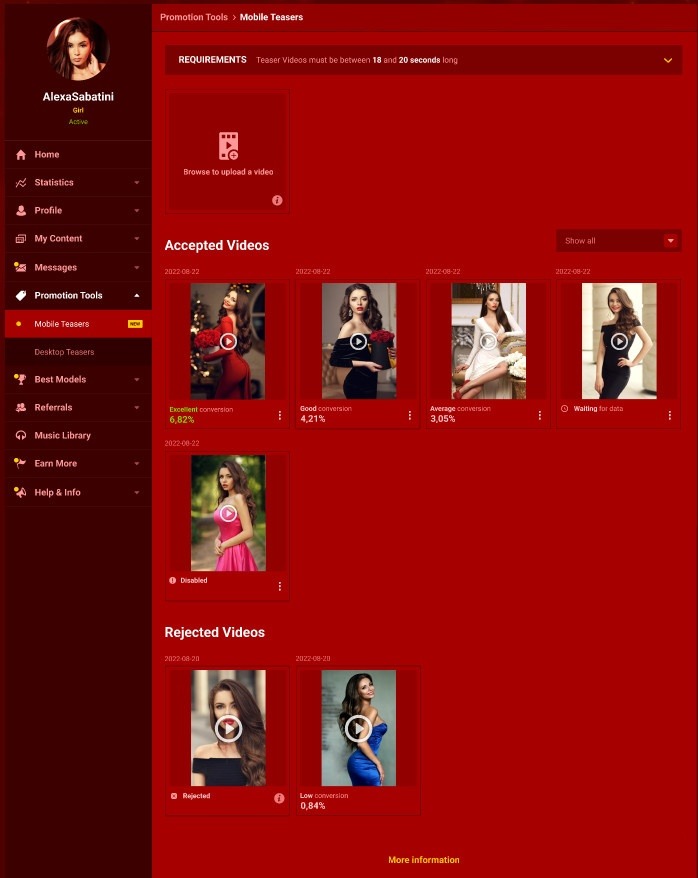
Upload and manage your Mobile Teasers on Promotion Tools > Mobile Teasers page . You can always add more videos to promote yourself even further.
Remember:
Upload an unedited, uncut version of the Teaser.
Upload videos in a full portrait/vertical format
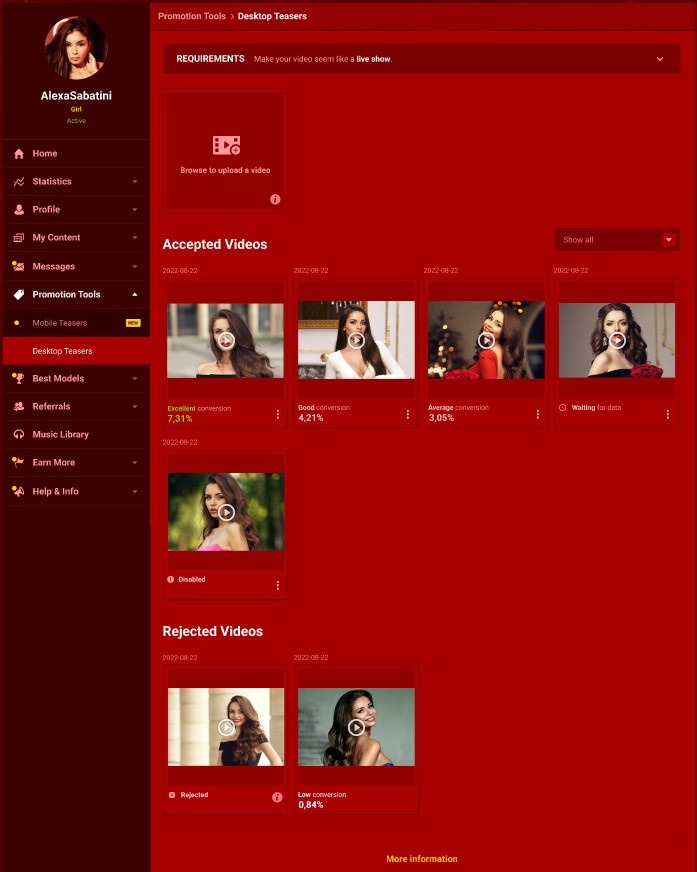
Upload and manage your Desktop Teasers on Promotion Tools > Desktop Teasers page . You can always add more videos to promote yourself even further.
Remember:
Upload an unedited, uncut version of the Teaser.
Upload videos in a full landscape/horizontal format
*You cannot record a video with this feature. Please upload an existing video.
There are four video classifications based on their conversion rates:
Excellent
Good
Average
Low
The video will receive a conversion rate (percentage) after 100 impressions. Until the data is collected the video will have a ‘’Waiting for Data’’ status. The percentage can differ depending on the time, since we refresh the data based on the newer impressions.
We advise you to spend more time online, as we only show users videos of Online Models.
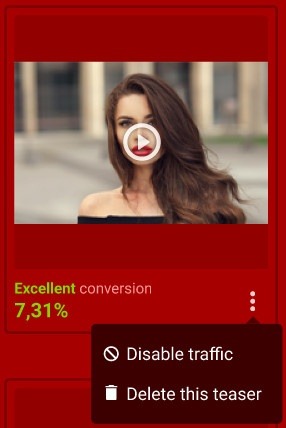
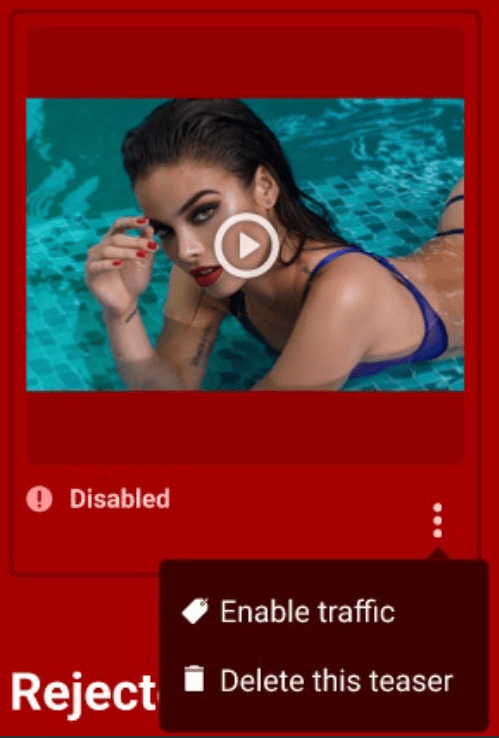
After uploading the video, it video will be handled by our staff. Once done, you can opt-out of the promotion and deactivate the video at any point by clicking on the ‘Disable Traffic’ button. The ‘Disable Traffic’ option is in the drop-down menu under More Settings (3 dots icon) of each video.
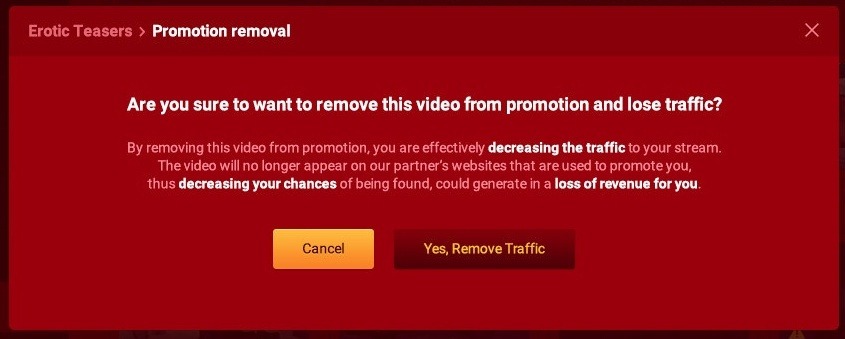
A confirmation pop-up will be displayed upon clicking on the ‘Disable Traffic’ button.
To reactivate the video, click on ‘Enable Traffic’ in the settings of the inactive video.
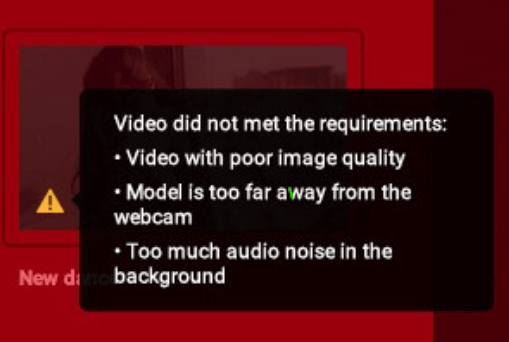
If a video is rejected, you can check the feedback with the reasons of the rejection by hovering over the warning icon located on the thumbnail of the video.
Main Requirements:
Teaser Videos must be between 18 and 20 seconds long.
Grab the attention of your audience by talking directly to the camera.
Talk to viewers affectionately and encourage them to visit your room.
Record Teasers with clear audio and no distracting background noises.
No branded clothing or visible brands.
Make your video seem like a live show.
You must be visible with a neat, clean background.
Pick any location you want for your video.
Use proper lighting for good video quality.
If you use music, it should be from our Music Library
Technical Requirements:
Desktop Teaser
Must be between 18 and 20 seconds long
Upload videos in a full landscape/horizontal format (16:9)
Can you provide me a guide about limited studio access?
Yes, here it is: https://www.youtube.com/watch?v=WUVKmFDUS1I&list=PL189OCUqNbDIBQqP842yr_v9AYy2KCIEz&index=1
Can you provide me a guide about how to set up the limited studio access?
Yes, here it is: https://www.youtube.com/watch?v=v3LLIfaHS1s&list=PL189OCUqNbDIBQqP842yr_v9AYy2KCIEz&index=2
Purpose
In order to make managing your Studios more comfortable, we have created the option to create Limited Accounts for one of your employees. Using the Limited Account, your colleague will be able to handle the most important functions of your Studio in your absence. Of course since we respect your privacy, not all information and features are available through a limited account.
I lost access to the registered e-mail address of my account. How can I change it to a new one?
If you are logged in to your acount, you can change your e-mail address in your Model Center top left corner by clicking on the settings (gear) icon. if you cannot access your account, then you need to contact our Support Team via e-mail (help@livejasmin.com).
How can I access my Model account if I am the Studio owner too?
If you are the studio owner too, it is possible that you registered yourself as a model with the same credentials. In that case you may access your Model account from the Models menu by clicking on your display name. However if you used another email address upon registering yourself as a Model, make sure that you add the correct one to log in to your Model Center and JasminCam.
I created a Studio account instead of a Single account. Is there a possibility to change my Studio account to a Model account?
You can either register a new single account or to register a Model account under your Studio account, which you can use and stream on our site.
Who can reactivate an inactive Model account?
The Studio owner can change the status to inactive or reactivate inactive Model accounts that are registered in the Studio. If the account is under suspended or rejected status, then you need to contact our Support team.
What is the promotion period reset for?
Only Studio owners has this option within the Studio Center to reset the promotion period for their models, but only once.
Members or Models can see my Studio name?
Only the Studio owner or who you give limited studio access has possibilty to see your Studio name, which is displayed in the top right corner of the Studio Center. Models and Members are not able to see it.
There is no possibilty to change name of the Studio name or the registered owner.
We are not able to change the name of the Studio. Also the owner of the Studio account needs to remain the same person.
Welcome to your Studio Center
Congratulations! You can now start exploring LiveJasmin! However, before doing so, we kindly suggest that you read this short “Where to find what” guide to make it as easy as possible to naviagate around the Studio Center.
Models
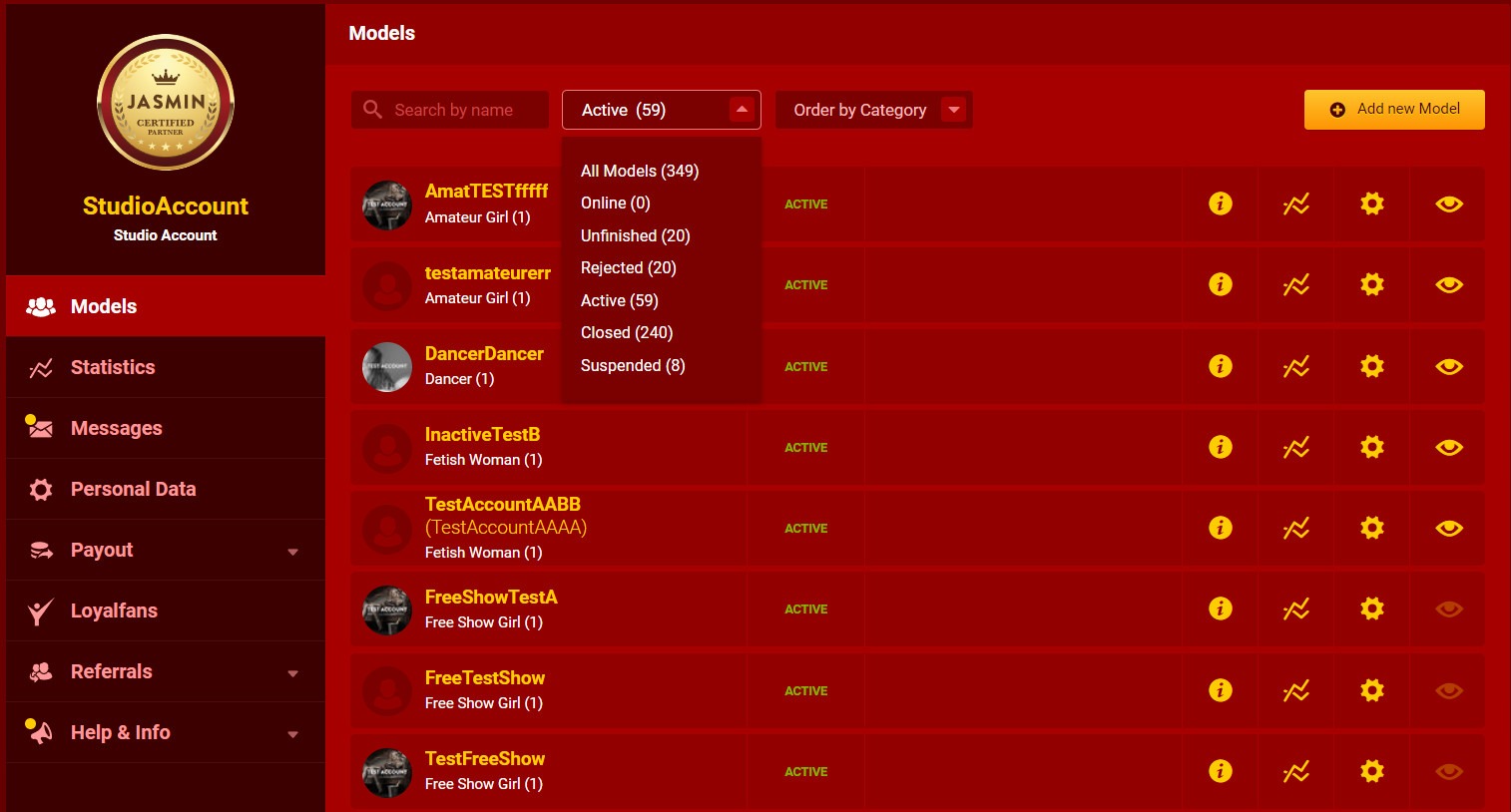
As the owner of a Studio account, first you will see the number of your performers, and their current statistics detailed when selecting one.
You may sort your models according to the following filters:
All Models
Online
Unfinished
Rejected
Active
Closed
Suspended
or
order by Status
order by Name
order by Category
You can register a new performer under your Studio Account by clicking on the Add New Model button on the right side.
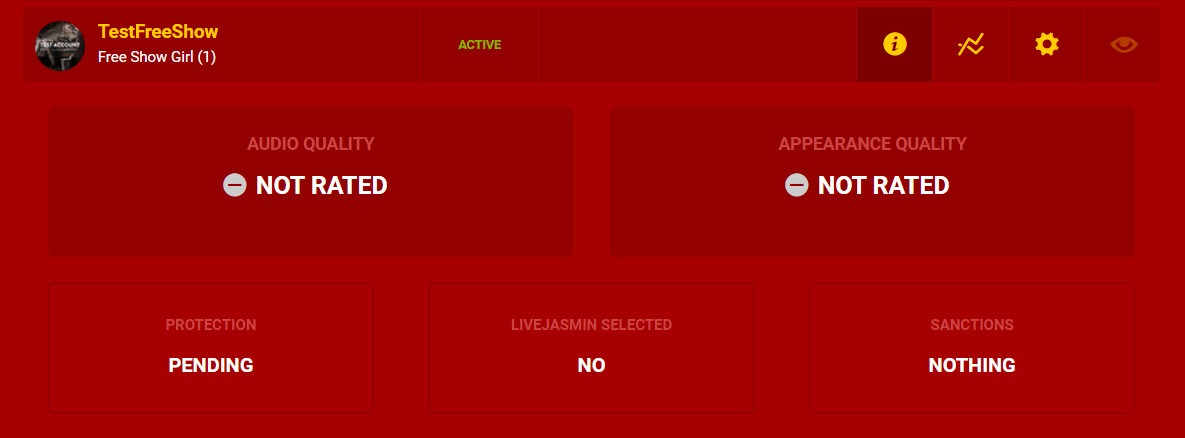
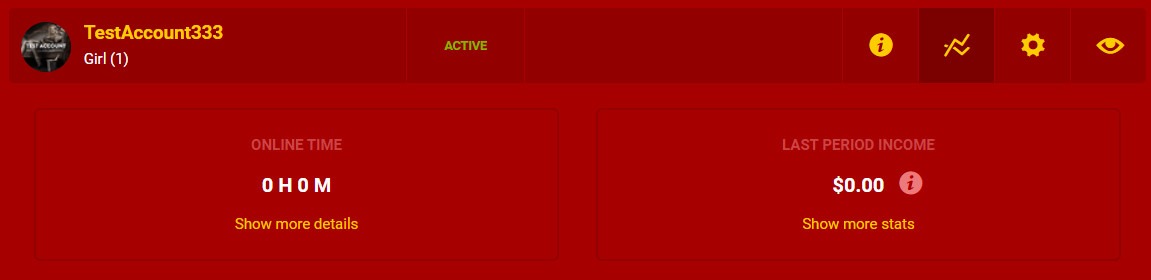
Clicking on the information icon will display your model’s current Audio and Appearance ratings, if she/he is protected or not, has received the LiveJasmin Selection Badge or not, and if your Model has committed any violations.
By clicking on the “Income overview” icon, you will see your performer’s level in the payout system, the time the Model spent online and their income from the last period. Under “show more stats” you can see more detailed information regarding your Models’ income.
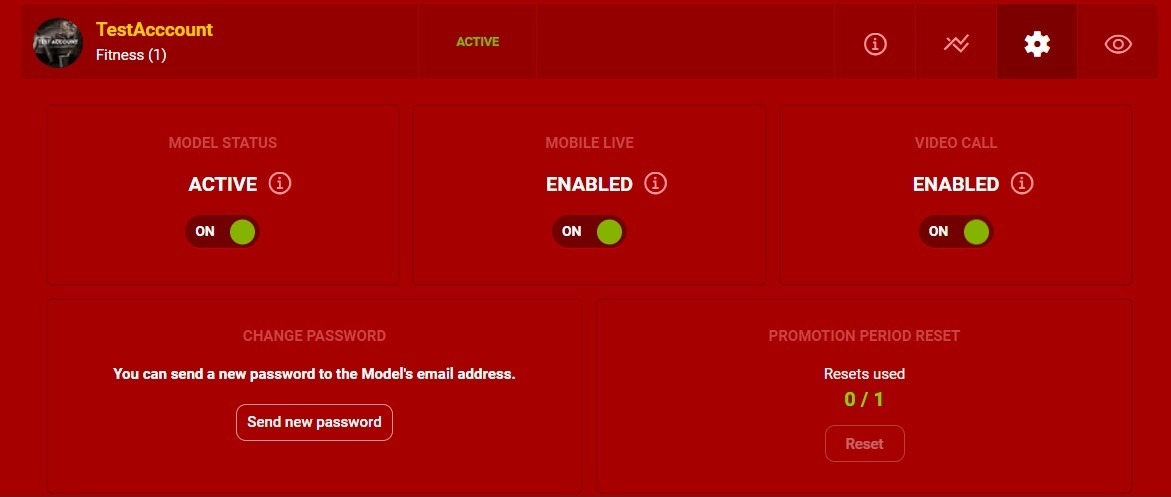
Under Account Settings you have the option to make your model’s account active or inactive, enable or disable the option for them to go online from mobile or start a video call, and change their password, if necessary.
If you click on the “View model on LiveJasmin” icon, you will see the layout of the performer’s account on the site in a pop-up window. Meanwhile, by clicking on the performer’s account name you will be logged in to the account itself.
Statistics
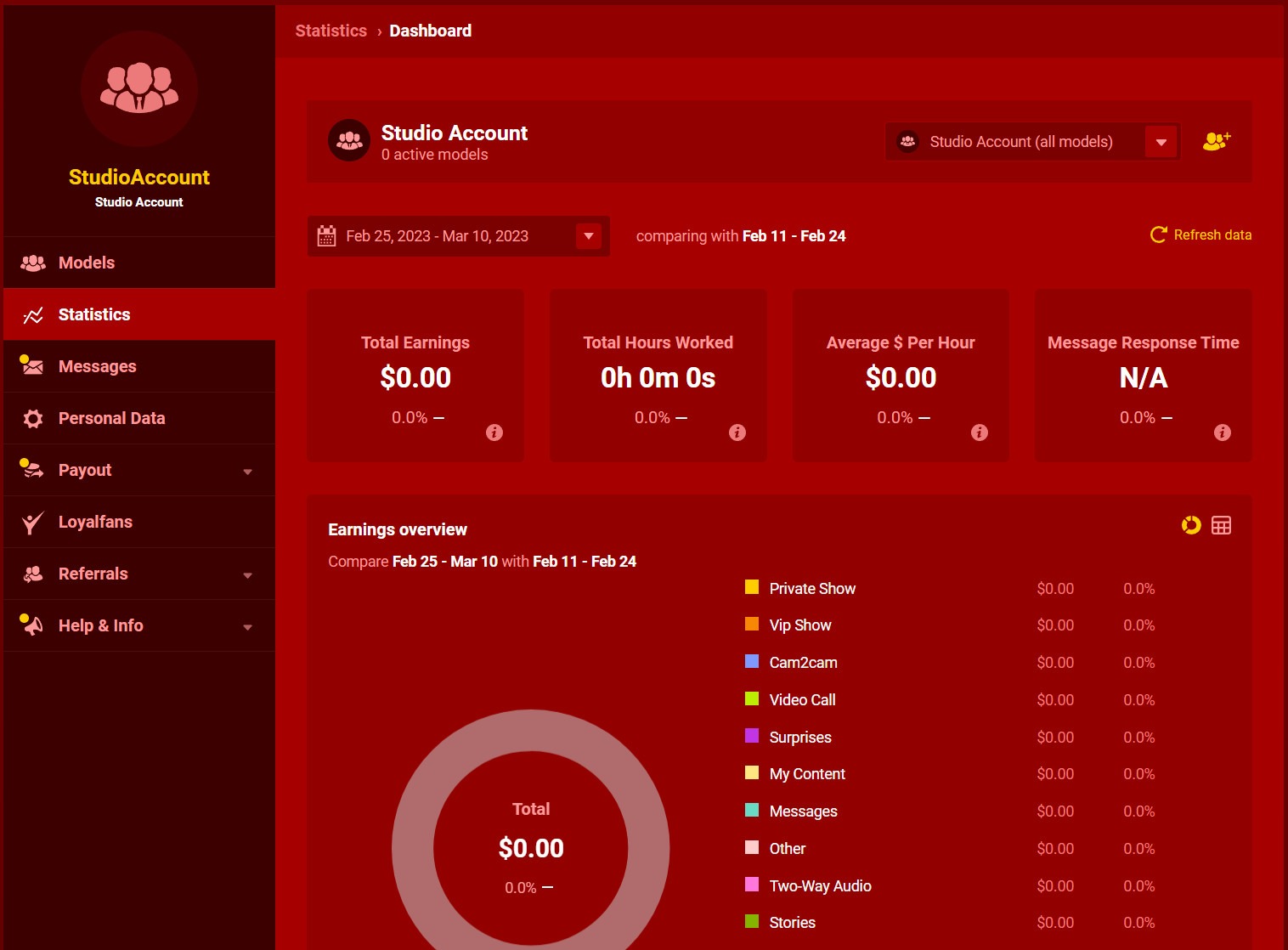
In this menu you can check statistics of all of your Models for set period of time and compare statistics for different periods.
Messages
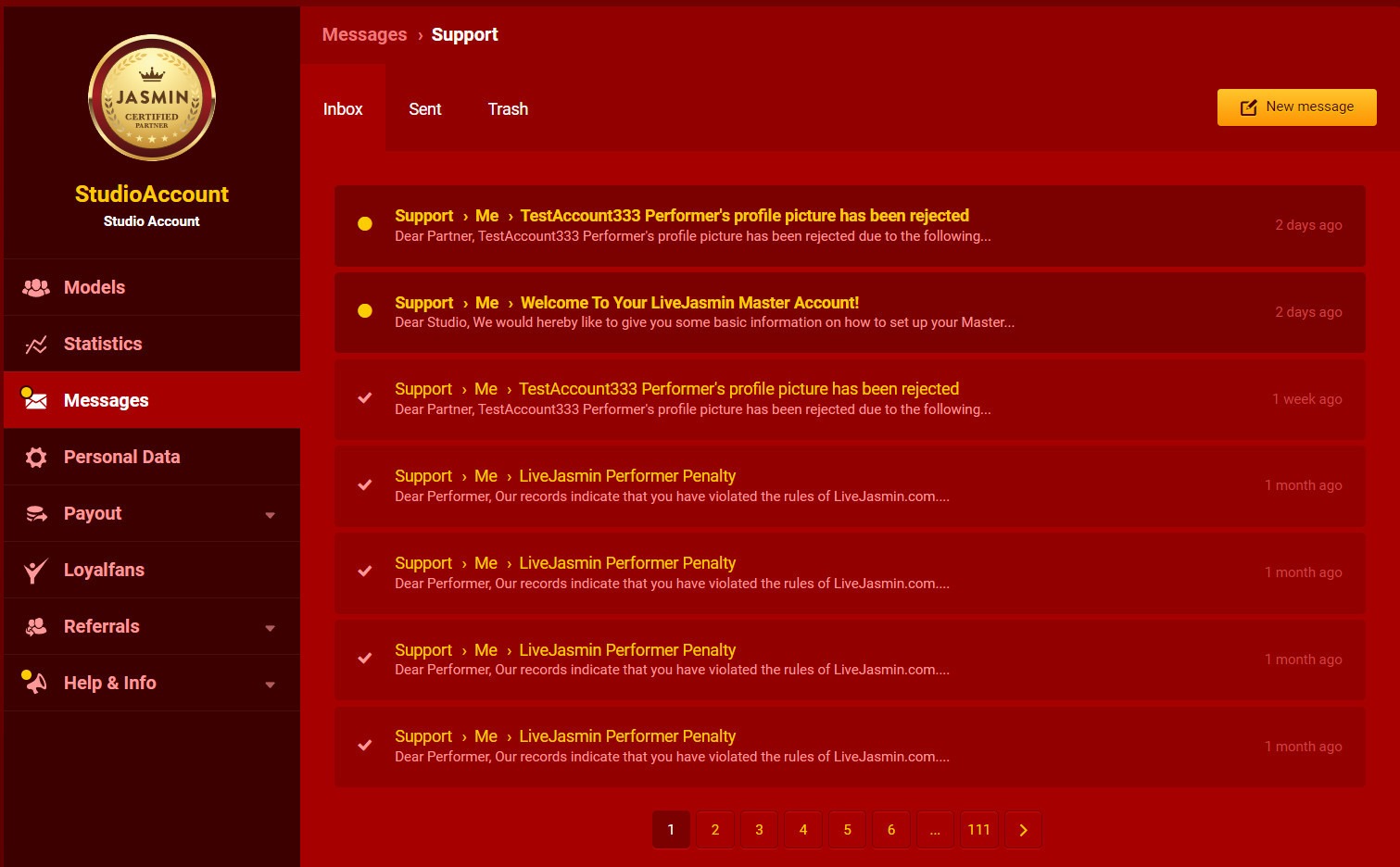
In this menu, you can access all of your messages received and sent.
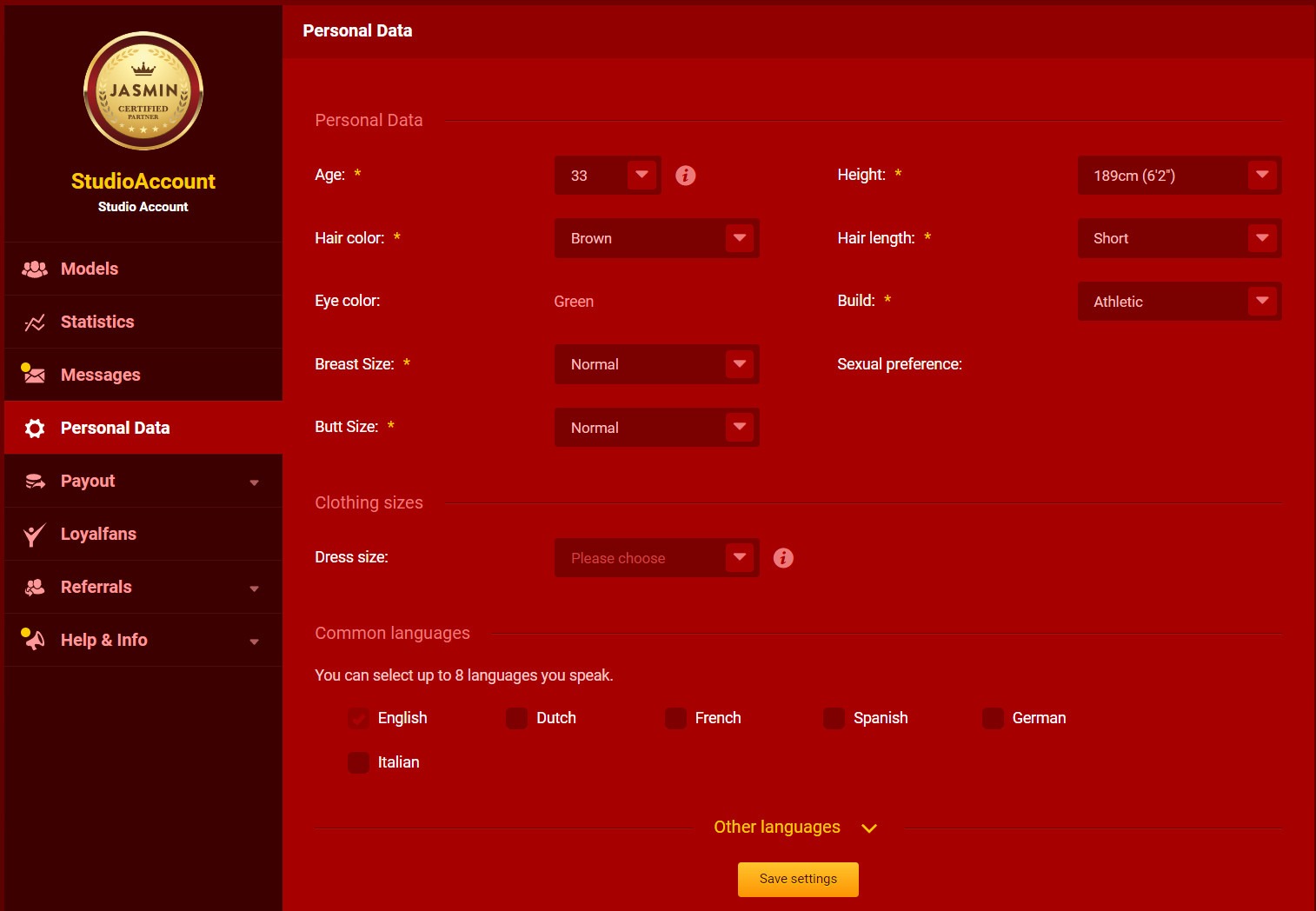
Personal Data
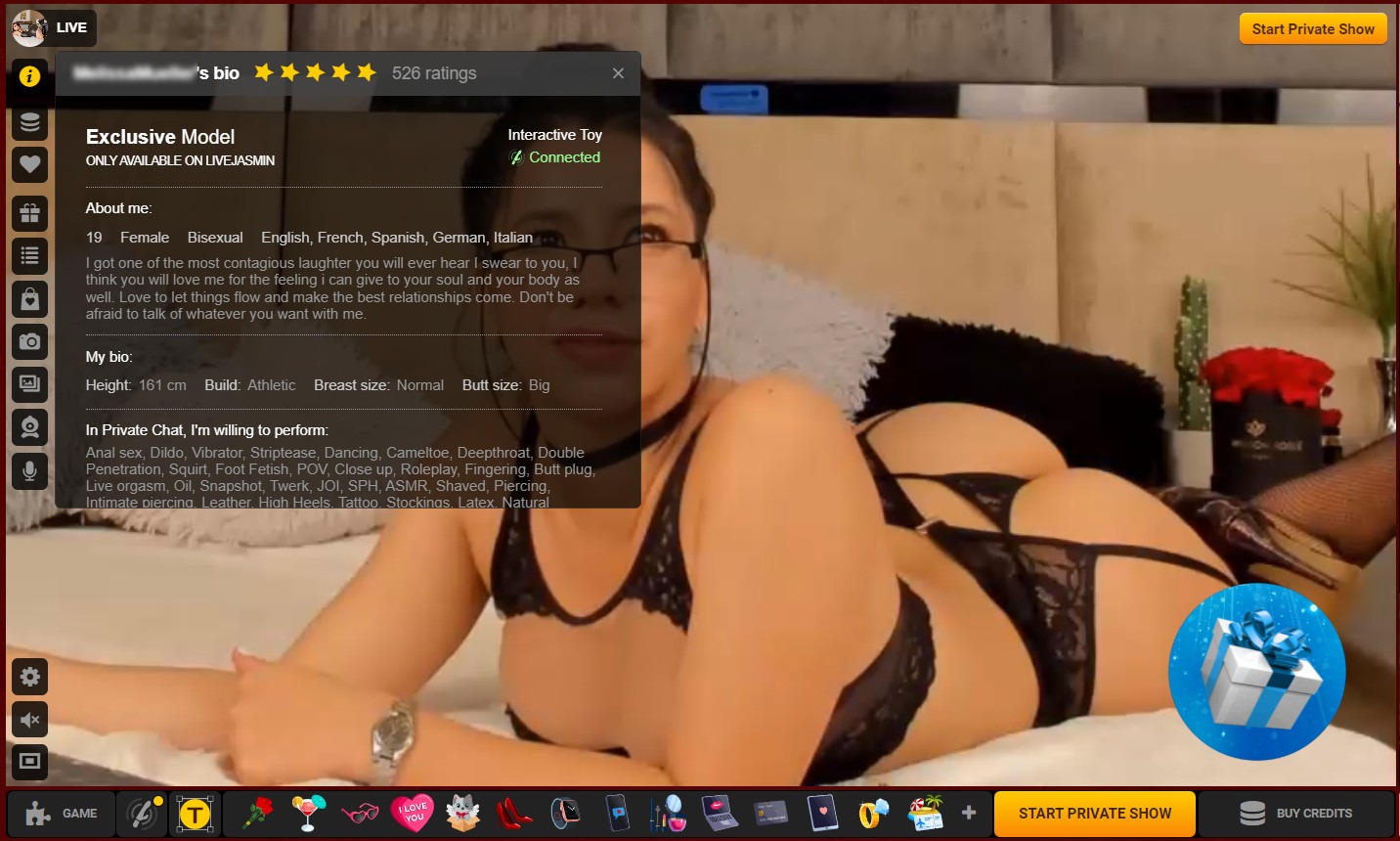
Under Personal Data, in case you are also a Model, you have the option to change details regarding your appearance and add or remove languages that you speak properly.
Personal Data: Age, Height, Hair color, Hair length, Eye color, Build, Breast Size, Sexual preference, Butt size, Dress size
Common languages: English, Dutch, French, Spanish, German, Italian
Payout
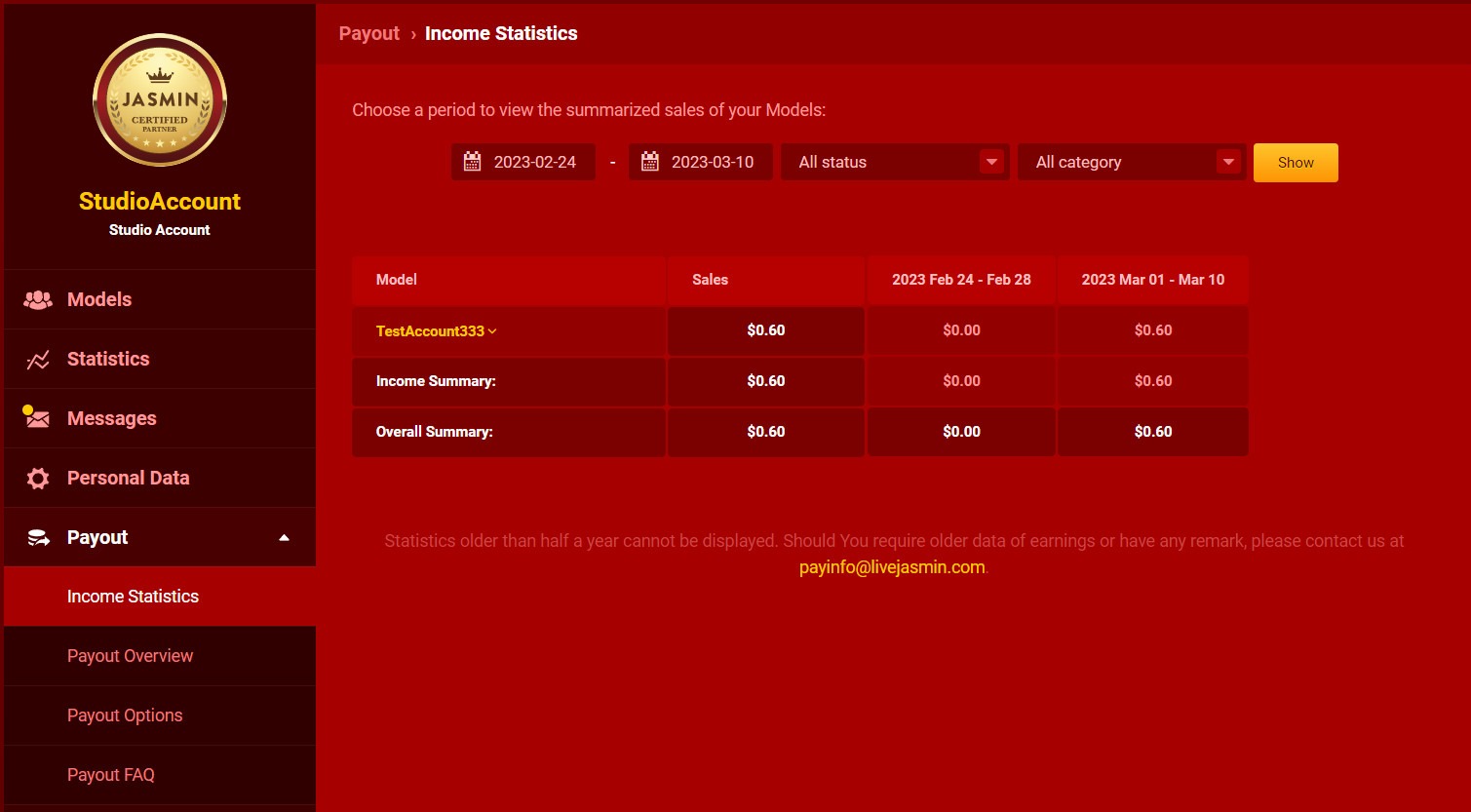
Income statistics – Here you can access all the detailed information regarding your total income. Also, you may set the period you would like to check at the top filters. Check your payslips under Payout Overview.
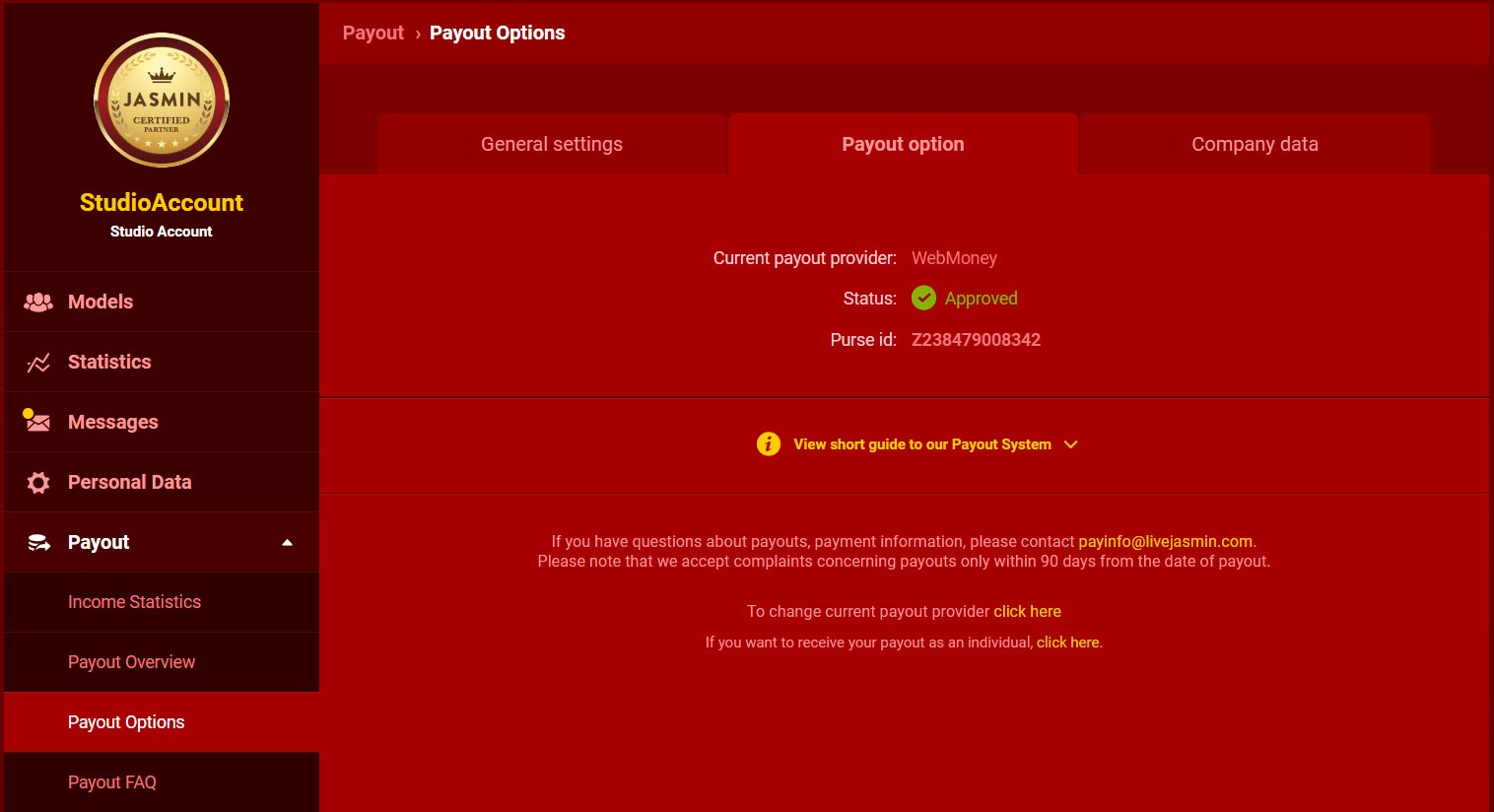
Payout options – This is where you can set the payment method, through which we will send you payouts as an Individual or a Company.
Payinfo FAQ – Here you will find all the necessary information regarding payouts and a short description of the offered payment methods.
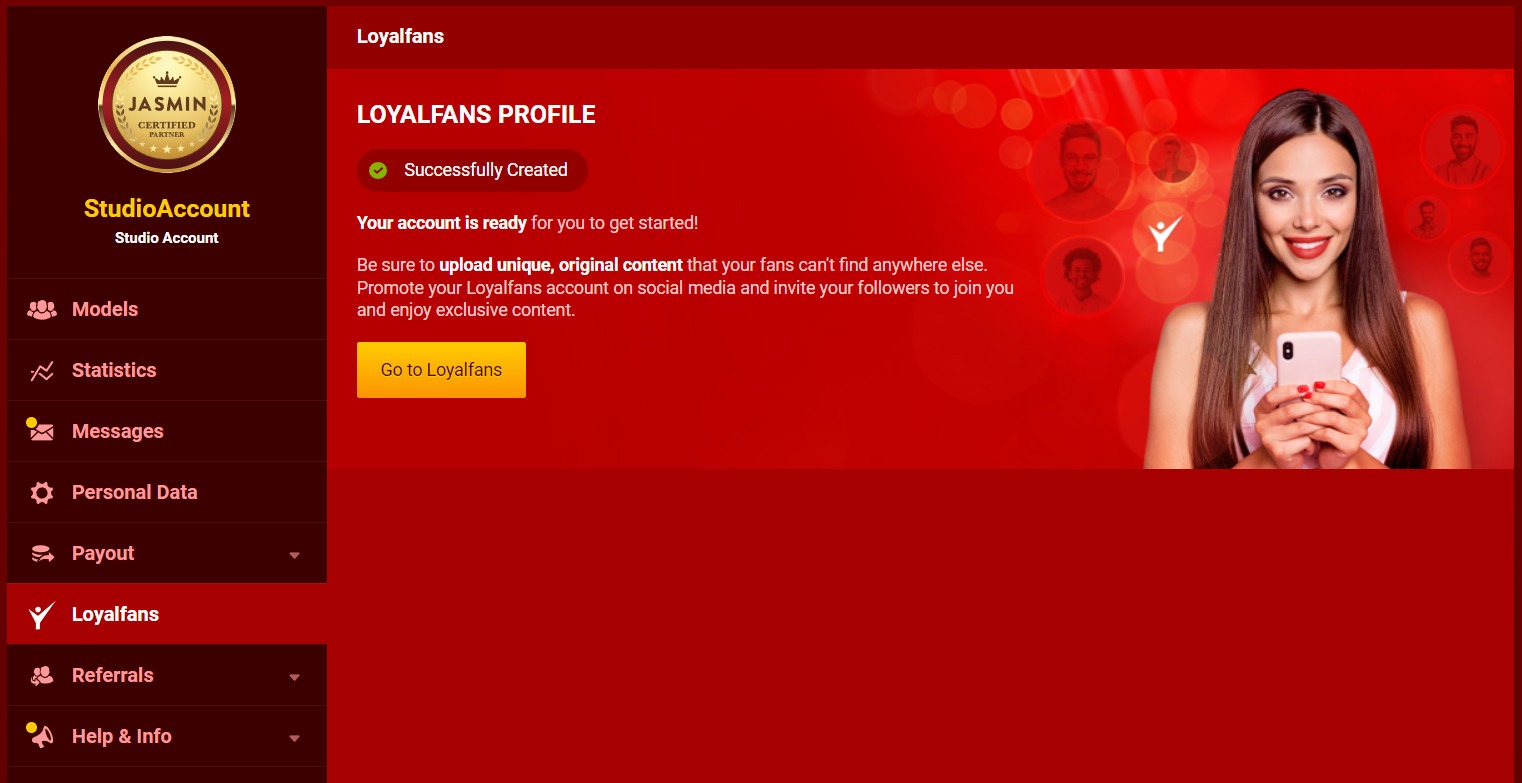
Loyalfans
Under this section, you can create your Loyalfans Studio account. Once your Loyalfans registration is completed, your Models will be able to create Loyalfans profiles under your Studio account.
Referrals
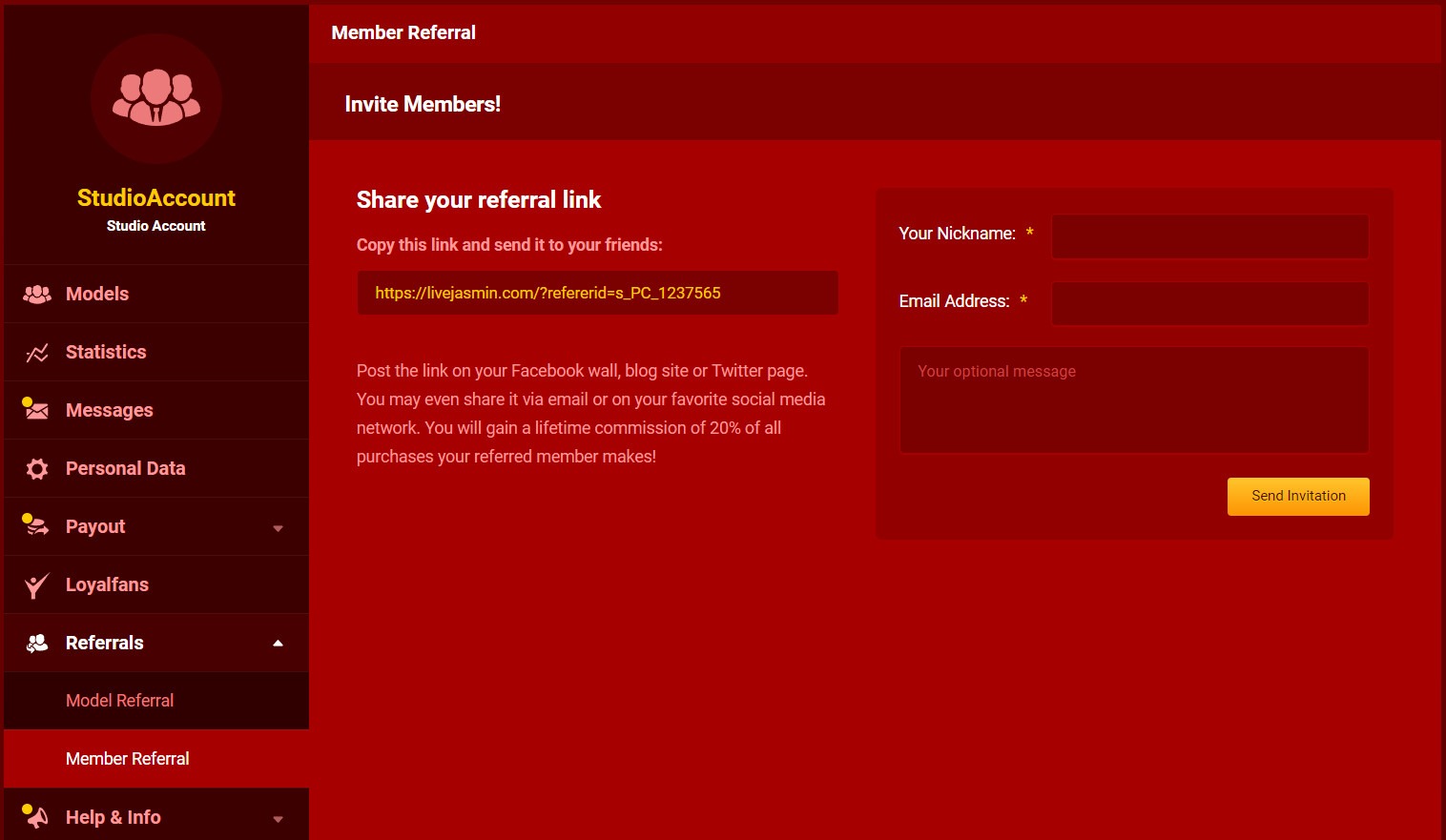
Under this section, you can refer people to becoming LiveJasmin Members or Models.
Member Referral – you will receive a lifetime commission based on the Member’s overall spending!
Model Referral – you will receive 10% commission for one year from referred Models
Help and Info
News – As we would like to keep you as updated as possible, you will see all the information regarding changes and upcoming events under this menu. We recommend you check this daily.
Support Center – You can find answers to your questions here – and contact our colleagues, if needed.
Income Shares – Your actual earnings are based on the Level-dependent Payment System, giving you the option to increase your earnings without raising your rate per-minute. Your commission for Level-dependent Income will vary depending on your current Level. The higher your level, the higher the commission you receive.
After these menus, you can find our main Wiki page with all the necessary information you might need, LiveJasmin Rules, and the agreement you accepted earlier, in case you need any information from them.
Besides the excellent camera image quality, the Models’ appearance is a very important factor for clients. The appropriate design greatly helps to attract new customers, and your existing clients would be more likely to come back to you.
Therefore, LiveJasmin gives you all assistance to succeed in creating the ideal environment for you.
Principles
Self-expression and quality. Be unique, enchant your visitors with your personality, and of course pay attention to present all of these tastefully.
Strive to keep a sophisticated appearance in regards your clothes and your other accessories, since the customers firstly decide to join your room on the basis of your image and the overall impression.
We cannot emphasize enough how important profile pictures are. As the saying goes, “There are no second first impressions”.
Keep your environment attractive and tidy, providing an ideal environment for your work.
Focus on how you communicate with your clients in free and private chat as well. The point is the professional attitude. Stay always respectful and do all that your visitors enjoy themselves at you.
Remember to have fun. Visitors can tell if you are happy or sad, and they love Models who engage them.
Take the time to maintain and update your account, keeping it always interesting and exciting. Upload new pictures frequently, update the Personal information in your Profile and your Willingness List, answer your clients’ messages and message those you had not heard about for a while. Check out what other options you have to improve your profile page and earn more. Activity is the key to success, spend much time online and use this time well.
Be online with sound, some music may be played quietly in the background, which may assure the basic mood in your room. Make sure that the music is not too loud, because it can be disturbing, and if it is possible, do not let any other source of noise to be present around you (air-conditioner, street noise, other people). It is not advised to listen to TV or Radio shows as well as non-English music.
Background
Keep your environment clean and comfortable while making it tempting to create the perfect atmosphere for your shows.
It is advisable to provide from your bedroom or your living room, but if you have the possibility you can work even from more extreme locations (bathroom, office or garden).
It is important to have a spacious and comfortable area around you, that impresses your customers. The work will be more comfortable for you and your visitors will feel your professionalism. Use pillows, comfortable armchairs or a bed. Avoid small, enclosed spaces or corners, those may create a confined feeling.
Use interesting and colorful tools and objects to avoid having a bleak background. A few plants, pictures on the wall, colorful pillows or toys can be very helpful in this. Cover the distracting background elements with a curtain or change the camera angle, and always keep order around yourself.
Good lighting is very important, since it can significantly enhance the overall impression of your room. It is better to use indoor lighting, from multiple light sources. The light should not come from behind of your back, since it can blind the camera. Make sure it is neither too bright, nor too dark in your room.
Appearance
Pay attention to always bring the most attention to your most advantageous parts. If you have beautiful legs, wear high-heels, if you have nice and thick hair, do not hide it!
The smile is the flirting signal that attracts the attention. It is not enough to smile only with your mouth, but smiles with your eyes too.
Position your camera in a way to be clearly visible all the time, at or below eye-level. Squatting with spread legs, sitting astride, and being only partly visible are not attractive at all.
Invest in high-heels because it can turn on many of the visitors. Wear one even when you are lying on the bed, it makes your appearance sexier and your outfit more sophisticated.
Clothes
Dress up for seduction. What you would consider extravagant on the street, you can wear for your online dates. It is worth to consider three main aspects when designing your appearance: your category, your own personal style and physical talents.
If you want to be tempting, a sexy lingerie or a mini dress is recommended. For the more conservative ones, elegant blouses, cut-out dresses and tops are recommended. For the sporty Models, gymnastic dresses or tight athletes jeans.
Use strong colors and mix them within your clothing. Do not forget the large, prominent jewelry. A large pendant, long earrings or a ring may help to emerge from the crowd. The ebony Models may effectively use powerful neon colors, since these are very prominent on them.
It also advised to present several types of clothing or keeping them nearby and vary them. You can even organize “thematic days” with various costumes and accessories (latex clothes, nurse, secretary, police officer).
For ladies A wide range of lingerie selection is at your disposal.
Sexy Accessories: Nipple patch, girdles, body stocking, tattoos, gloves, transparent lace or silk robes.
For gentlemen A tight t-shirt or a silk shirt for the ones who prefer the elegance can be very tempting as well. A suit and a tie looks excellent too.
Avoid to wear the following things, since they look bad in the camera: thin striped clothes (they cause camera interfere), silicone bra straps (bad glitch), tightly woven stockings, especially in contrasting colors from your skin (interference as well), large one-colored clothes (blob effect). With these you can completely ruin an otherwise impressive quality camera picture.
Make-up
Here we would like to offer some useful pieces of advice primarily for the ladies.
It is recommended to use stronger make-up then the regular street wear, as the camera pales everything slightly.
Use foundation with a color that equally fits well with your face, your neck and your body. To create an innocent impression, use pink, to achieve a trendy style, use orange, and to a “woman of destiny” image use reddish tones.
Contouring and highlighting
Few of us have a perfect face shape, the most desirable shape usually being oval.
Darker foundation or bronzing powder help mask some features while pearly highlighters bring other features out. Blusher helps to accentuate and give you a healthy glow.
The following pictures give you a guide to where to shade or highlight your face:
Round face
Contour: Sides of jaw temples and neck.
Highlight: Center of nose, center of cheeks, chin and forehead.
Blush: Just under the cheekbones.
Heart face
Contour: Temples and chin.
Highlight: Lower cheeks on jawline.
Blush: On the cheekbones.
Long face
Contour: Forehead by hairline, lower cheeks, chin.
Highlight: Above cheekbones and temples.
Blush: On the cheekbones.
Oblong face
Contour: Sides of jaw and temples.
Highlight: Chin, temples and above cheekbones.
Blush: On the cheekbones.
Pear face
Contour: Sides of jaw and neck.
Highlight: Center of nose, center of cheeks, temples.
Blush: At the very side of the cheekbones.
Square face
Contour: Sides of jaw and templates.
Highlight: Center of nose, center of cheeks and chin.
Blush: On the sides of cheekbones.
Eyes
The eyes are the mirror of the soul.
Therefore it is important to emphasize them. In connection with the eyes, the aim is to show them bigger, so it is recommended to use a mascara and emphasize the upper outline with an eye-liner (if you want to reduce, emphasize the lower outline).
We process user’s data to deliver content or advertisements and measure the delivery of such content or advertisements, extract insights and generate reports to understand service usage; and/or accessing or storing information on devices for that purpose. Below you may read further about the purposes for which we process data, exercise your preferences for processing, and/or see our partners. Cookie Policy.
These are cookies that are required for the operation of our website. We use, for example, these cookies to enable the purchase functionality on our website or to route traffic to the right servers on our network.
These cookies allow the website to remember choices you make or your preferences (such as your language or the region you are in) and provide enhanced, more personal features.
We use these cookies to gain insight into how you use our site. This helps us to understand how interact with our site, what is interesting for you and how we can improve our services, and enhance the overall user experience.
We use cookies to personalize the content specifically for you, by displaying models who may be of interest to you, based on your previous activity. Data relating to your previous activity might reflect your sexual preferences.
LiveJasmin Model & Studio Wiki contains adult content. By using the website you acknowledge that you are over 18.